
New to texting your customers? No worries! We’ve compiled some best practices that will help kickstart your business texting.
1. Sign into Captivated first thing every morning. Make it part of your routine as you sit down at your desk and respond to emails. You’ll want to bookmark the login page app.captivated.works . For security purposes, Captivated logs each user out every 12 hours, so be sure to log in each morning. Now that customers can text your business, forgetting to log in is like leaving your phone off all day. All you have to do is login and keep a browser tab (Chrome, Firefox or Safari) open in the background while you work. You’ll get notifications in the corner of the screen when a customer texts in.
2. Don’t work a typical desk job? No worries. You can download our mobile app on your smartphone so that you can send and receive business texts right from your own phone. On the mobile app, notifications come in even when you are signed out of your account. Push notifications show up on your phone immediately if you are not logged in on your browser. They arrive after 2 minutes if you are logged in on your browser but have not responded to a message yet.
3. Send an announcement to all of your current customers letting them know that they can now text your business line. Captivated sets up a default message for you that is included with your business’ contact card. This way, a customer can easily save all of your business info on his mobile phone. You can adjust this message each time you send it as needed. The message will say something like, “You may now text our company over our business line. If you ever need to reach us, here is our contact information to save in your phone.” For your current customers that you do not have an opt-in on file or you do not have their mobile phone number, use your channel registration link to gather both pieces of information. It’s a win-win!
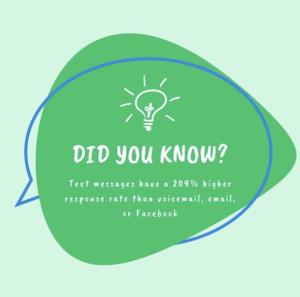
4. Captivated is not a spam or marketing tool. It is a customer communication tool that must become a TRUSTED channel, not a spam channel. Please do not spam any of your customers or send them advertisements on deals unless they’ve specifically asked for them. Additionally, do not send multiple text messages in a row if a customer has not responded. This will frustrate customers. Ultimately, less is more.
5. Captivated is a texting communication platform NOT an email platform. Keep your text messages short and sweet as you would with a friend. One text message segment is 160 characters including spaces. Using one emoji reduces the segment count by half. Longer text messages will likely not be read and have a higher probability of hitting a spam filter.

6. Remind everyone who calls in to your business that they can now text your business for assistance. “By the way, you can now call or text us at (either your main number or your dedicated texting line). When you do, the department you’re trying to reach will respond with the information you need.”
7. Change all marketing material, email signatures and websites with your company number to say “Call or Text” or include your dedicated texting number.
8. The goal is to route as much text traffic as possible through your text channel so that you have complete management oversight into every conversation. With initial conversations, try getting the customer used to texting by saying texting them after the call, “Thanks for your time today, did I answer all of your questions?” or “Do you have any feedback regarding the service you received today?”